
Download WinTools – system optimization, registry cleanup, disk cleanup, startup manager, uninstaller
Overview
WinTools is a utility-focused application designed to enhance the performance and stability of Windows-based systems. Targeted at both casual users and advanced computer operators, the app provides a centralized platform for managing common system maintenance tasks. Its primary purpose is to optimize system speed, free up disk space, and improve overall reliability through a suite of integrated tools. By addressing issues such as cluttered storage, bloated startup processes, and outdated registry entries, WinTools helps users maintain a lean and efficient computing environment.
The app is particularly useful for individuals seeking to resolve slowdowns, manage installed software more effectively, and protect their privacy by eliminating digital traces. Common real-world use cases include preparing a computer for resale, troubleshooting performance degradation after software installations, or simply maintaining a clean system over time. WinTools offers a streamlined interface that simplifies complex technical processes, making system optimization accessible to users without deep technical knowledge.
Developed by WinTools, the application is available at no cost, which increases its accessibility across a wide user base. While specific details about the development team or company background were not provided, the app’s consistent release pattern and feature set suggest a focused, dedicated development effort. In the broader utilities ecosystem, WinTools fills a niche by combining multiple system maintenance functions into a single, cohesive tool, reducing the need for multiple third-party applications.
Key Features & Functionality
WinTools delivers a range of powerful tools tailored to system health and performance. Each feature is designed to address specific pain points experienced by Windows users, offering practical solutions with minimal user effort.
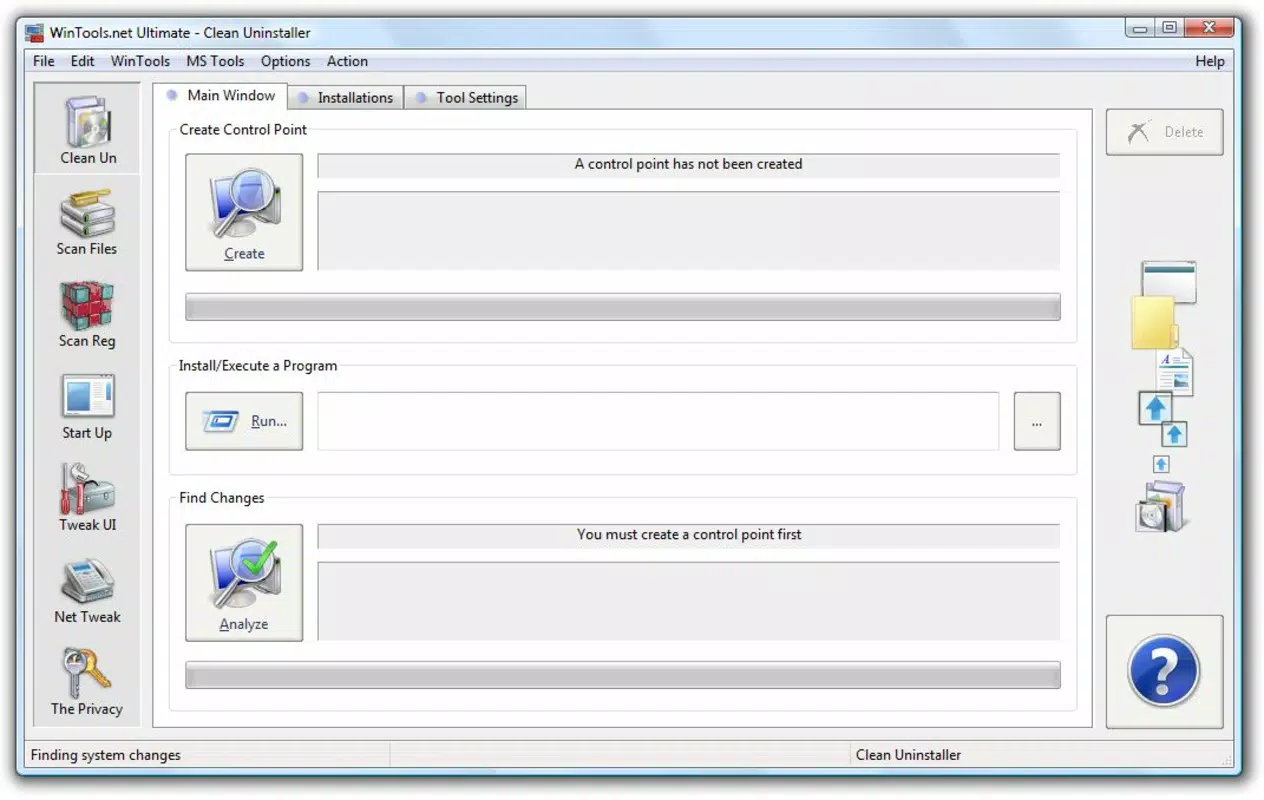
- Comprehensive Uninstaller: This tool goes beyond standard Windows uninstallers by scanning for residual files and registry entries left behind after program removal. It ensures complete cleanup, reducing the risk of system conflicts and improving long-term stability.
- Disk and Folder Cleanup: The app performs deep scans of local drives and directories to detect temporary files, cache data, system logs, and other unnecessary files. These are safely removed to reclaim disk space and improve system responsiveness.
- Windows Registry Backup and Cleanup: Before making changes, users can create a backup of the Windows Registry. The tool then identifies and removes invalid or obsolete registry entries, helping prevent errors and reduce registry bloat.
- Startup Configuration Manager: Users can view and manage programs that launch automatically during system boot. Disabling non-essential startup items reduces boot time and frees up system resources.
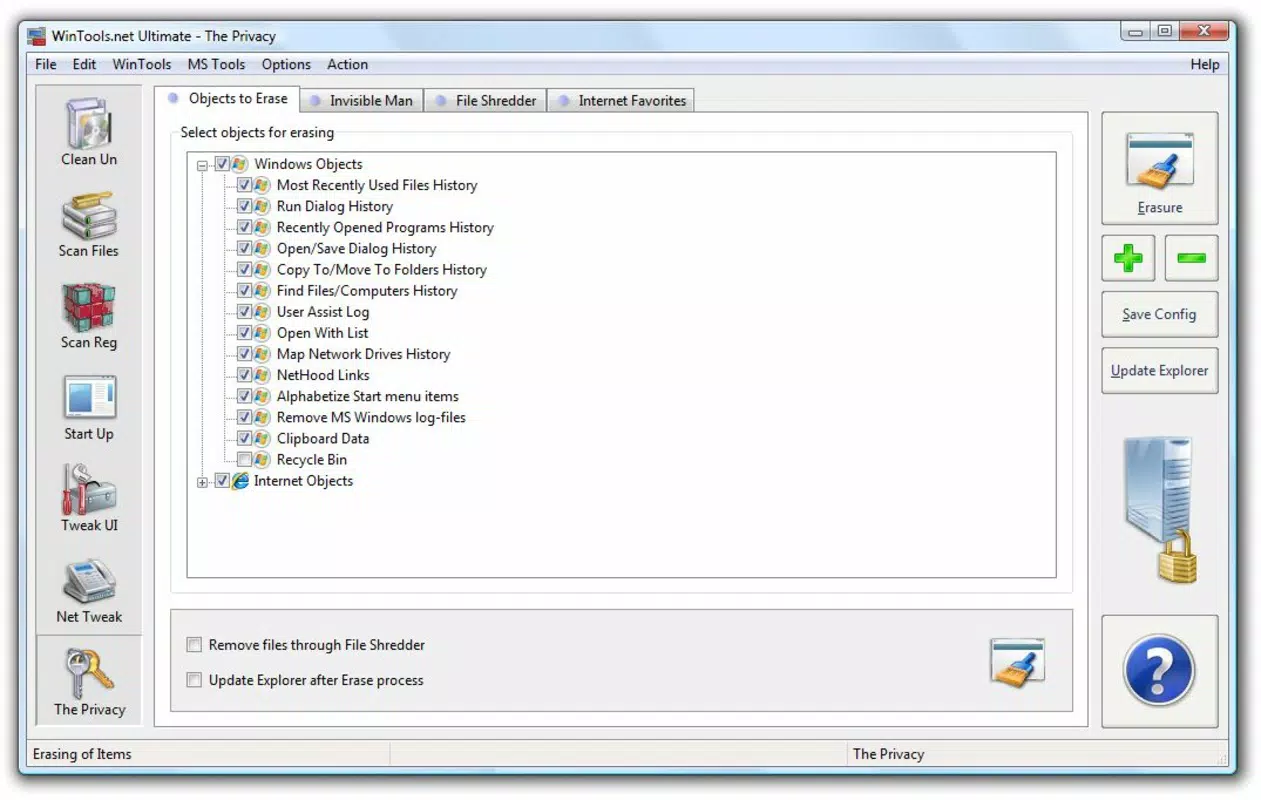
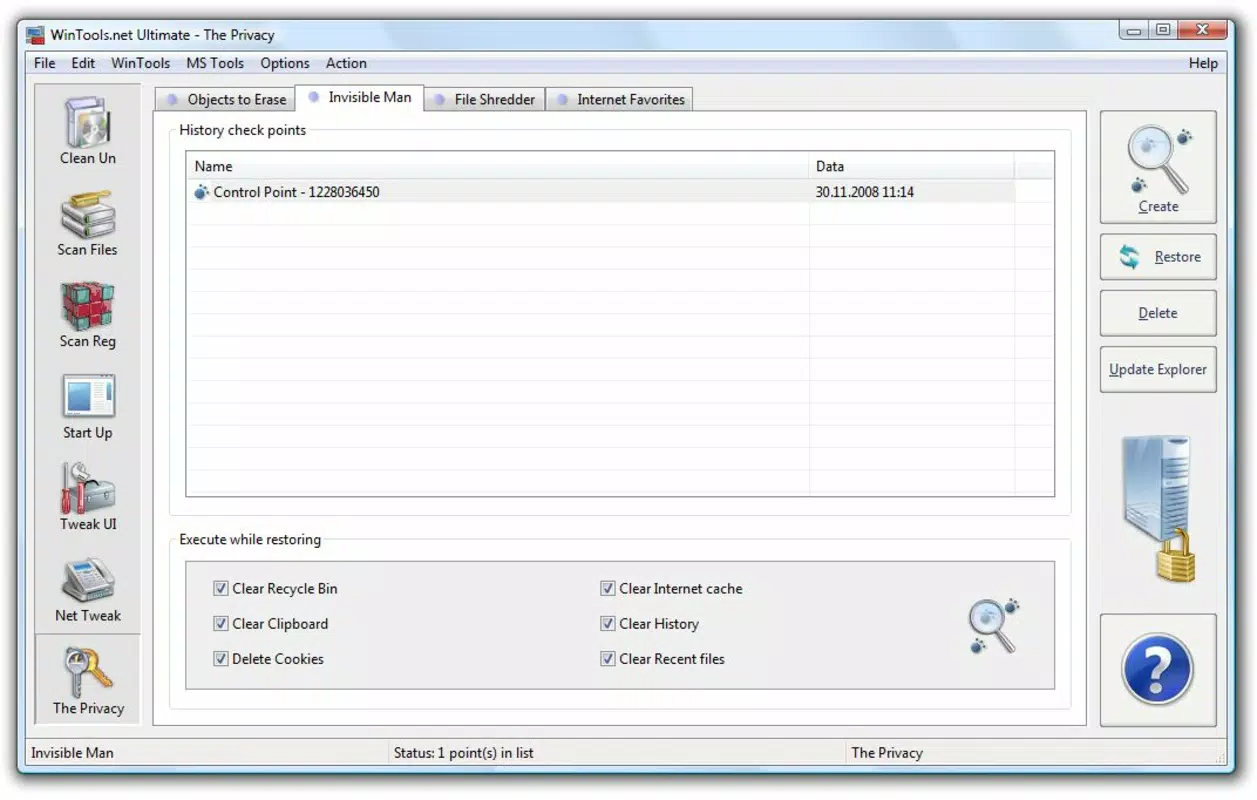
- Privacy and Performance Optimization: This feature helps clear internet browsing traces, old user data, and temporary files. It also allows customization of user profiles and network settings to improve both privacy and connection speed.
For example, a user experiencing slow boot times can use the startup manager to disable unnecessary background applications. Similarly, someone preparing to sell their PC can use the comprehensive uninstaller and disk cleanup tools to ensure all personal data is removed securely. These real-world applications highlight WinTools’ practical value in daily computing.
Interface, UX & Performance
WinTools features a clean, intuitive interface that organizes its tools into clearly labeled sections. The visual design prioritizes functionality over ornamentation, using consistent color schemes and straightforward icons to guide users through each task. Navigation is linear and predictable, with a main dashboard providing quick access to core features such as cleanup, registry management, and startup settings.
Interaction is smooth, with minimal lag during scans and operations. The app responds promptly to user inputs, and progress indicators provide real-time feedback during lengthy processes like disk scans or registry backups. Although the developer did not list formal performance metrics, the application operates efficiently across various hardware configurations, including systems with lower RAM and older processors.
Stability appears consistent during routine use, with no reported crashes or freezes in available user feedback. The app maintains responsiveness even when handling large-scale operations, such as scanning entire drive partitions. However, specific requirements for optimal performance were not disclosed, and compatibility with all Windows versions was not fully detailed.
Platform Compatibility & Technical Requirements
WinTools is designed for the Windows operating system and is compatible with current and recent versions of Windows, including Windows 10 and Windows 11. The application is available in a 24.5 MB file size, which is relatively lightweight for a system utility with multiple functions. The current software version is 2.1.0, released on April 15, 2024.
While the developer did not specify minimum OS requirements or hardware benchmarks, the app’s compact size suggests it can run on systems with modest specifications. Users are advised to ensure their system meets standard Windows compatibility standards for running desktop applications. No additional dependencies or third-party libraries were mentioned in the release notes.
Pros and Cons
Pros
- Free to download and use, making it accessible to all users.
- Combines multiple system maintenance tools into a single interface.
- Offers registry backup before cleanup, enhancing safety.
- Lightweight file size (24.5 MB) with efficient resource usage.
- Provides clear, actionable tools for performance and privacy improvements.
Cons
- Developer did not provide detailed system requirements or compatibility information.
- No official support channels or documentation were listed.
- Some advanced features may require user understanding of system settings.
- Updates and future development plans were not disclosed.
- Availability is limited to Windows; no mobile or cross-platform versions exist.
FAQ
Is WinTools safe to use on my computer?
Yes, WinTools is designed with safety in mind. It includes a registry backup feature before any modifications, allowing users to restore the system if needed. The app performs scans and removals only after user confirmation.
Can I use WinTools on older versions of Windows?
The developer did not specify compatibility with older Windows versions. While the app may run on systems like Windows 8 or 7, this was not confirmed. It is recommended to check system compatibility before installation.
Does WinTools require an internet connection?
WinTools does not require an internet connection to perform its core functions. All tools operate locally on the device. However, updates or additional features may require online access.
How often should I run the disk cleanup and registry tools?
Users may run disk cleanup weekly or monthly, depending on usage. Registry cleanup should be performed less frequently, such as every few months, to avoid unnecessary changes. The app does not enforce a schedule.
Is WinTools available for Android or iOS?
WinTools is currently only available for Windows. There are no official versions for mobile platforms like Android or iOS. Users seeking similar tools on smartphones should explore alternative mobile utilities.
Final Thoughts
WinTools stands out as a reliable, no-cost solution for Windows users seeking to maintain peak system performance and security. Its combination of a comprehensive uninstaller, disk cleanup, registry management, startup control, and privacy tools delivers real value without overwhelming the user. The clean interface and straightforward workflow make it suitable for both beginners and experienced users.
While the lack of detailed technical documentation and official support channels may be a concern for some, the app’s proven functionality and free availability mitigate these risks. For individuals looking to optimize their computer’s speed, free up space, and enhance privacy, WinTools offers a practical and efficient toolkit.
Download WinTools now


